100% local processing
Documents do not leave the workstation for the local operations that are supported.
Read, annotate, sign, fill, convert, assemble, run OCR, and replay all of that from the command line: PdfCommander gathers PDF operations in a local suite.
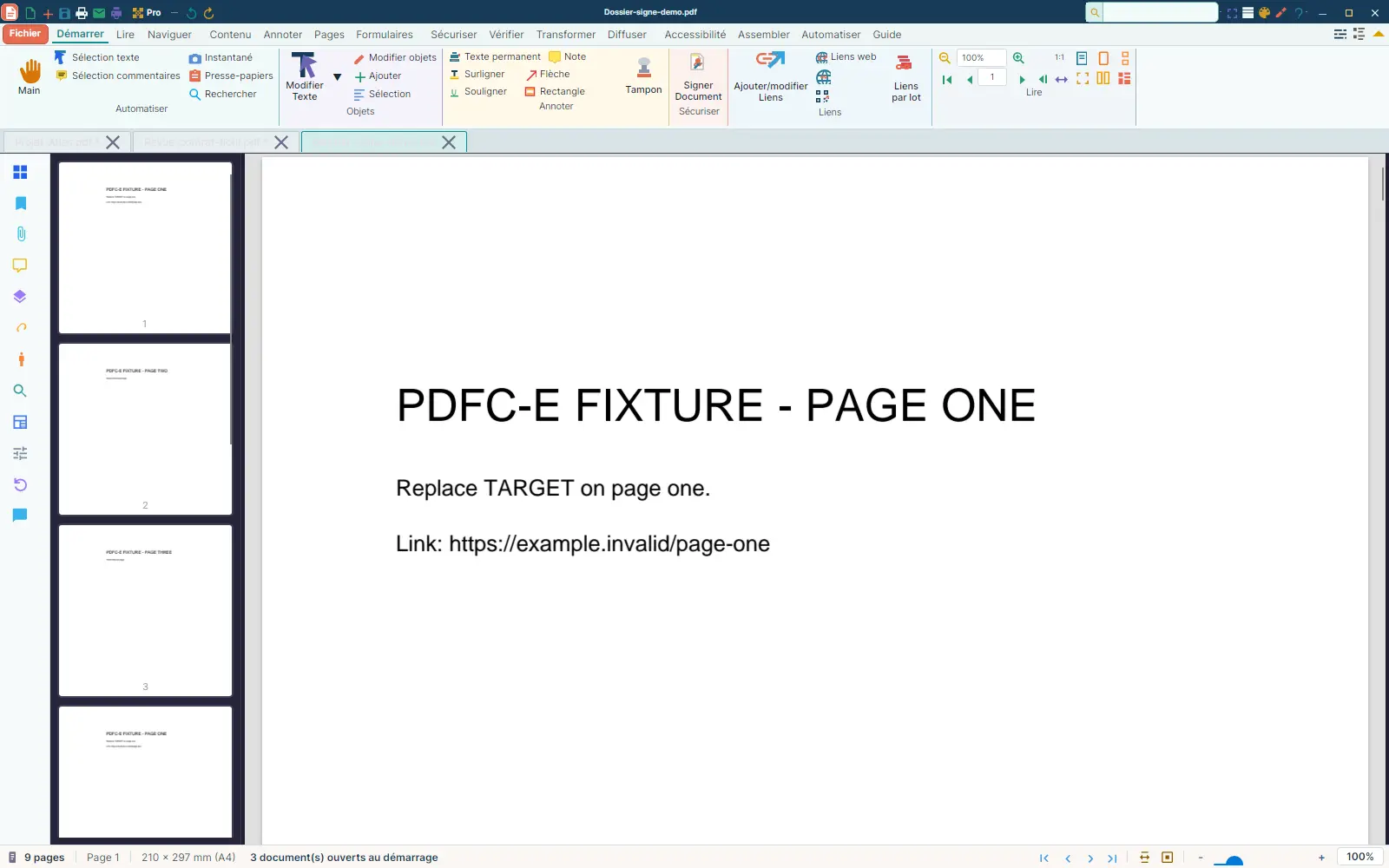
The screens shown are real product screenshots. Visible data is demonstration fixture data.
Status
Stabilization
Test suite
8,000+ cases
Automation
104 command-line commands
Processing
100% local
Multi-tab reading, side-by-side view, thumbnails, bookmarks, attachments, and layers bring document inspection together.
More than 20 annotation types, PKCS#7 and PAdES digital signatures, eIDAS validation, and batch signing are in the targeted scope.
13 export formats, Office-to-PDF via LibreOffice, and multilingual Tesseract OCR cover the announced transformations.
Detection, filling, and duplicate handling are among the operations the suite supports.
104 self-described commands let you replay recurring jobs without opening the graphical interface.
SDK extensions open the way to tailored processing, while every output contract is checked before it is announced as stable.
Every screen below comes from a real run. Visible limitations are left in the presentation.
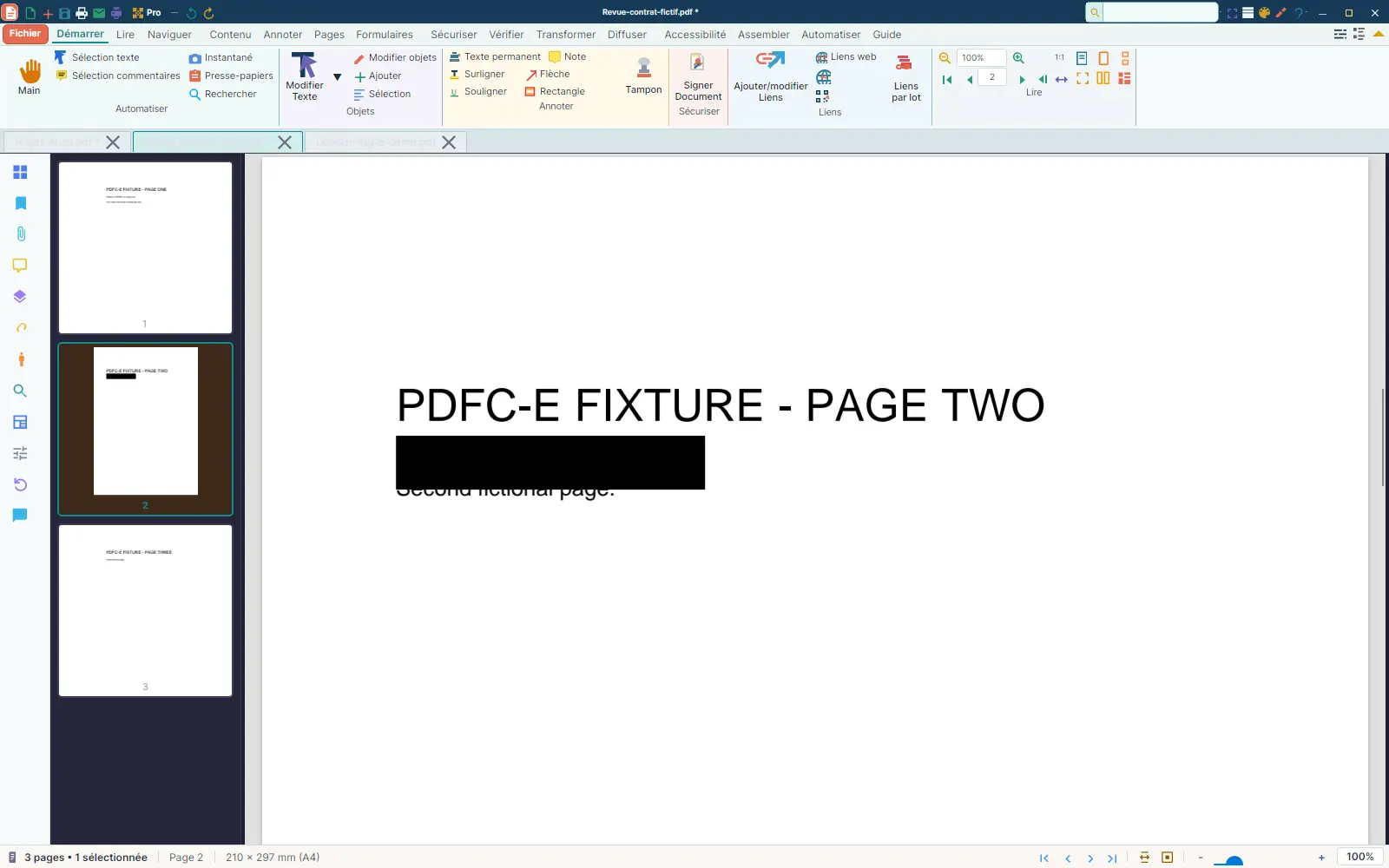
A black annotation that is actually loaded and selected appears on the page and in its thumbnail. The annotation flow is visible in the French application.
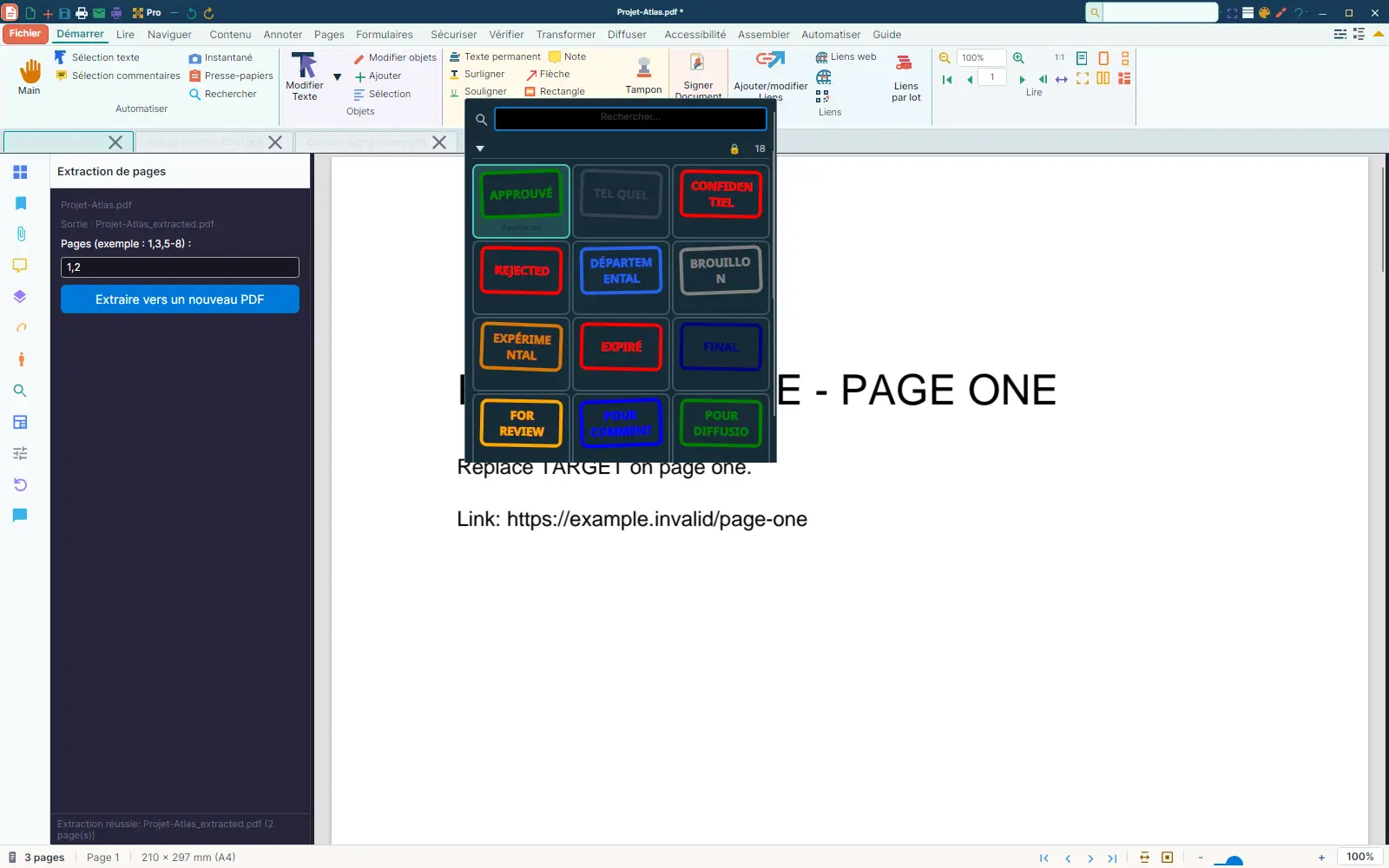
The gallery shows the standard stamps available in this view. It proves stamp selection, not the final click-and-drag placement.
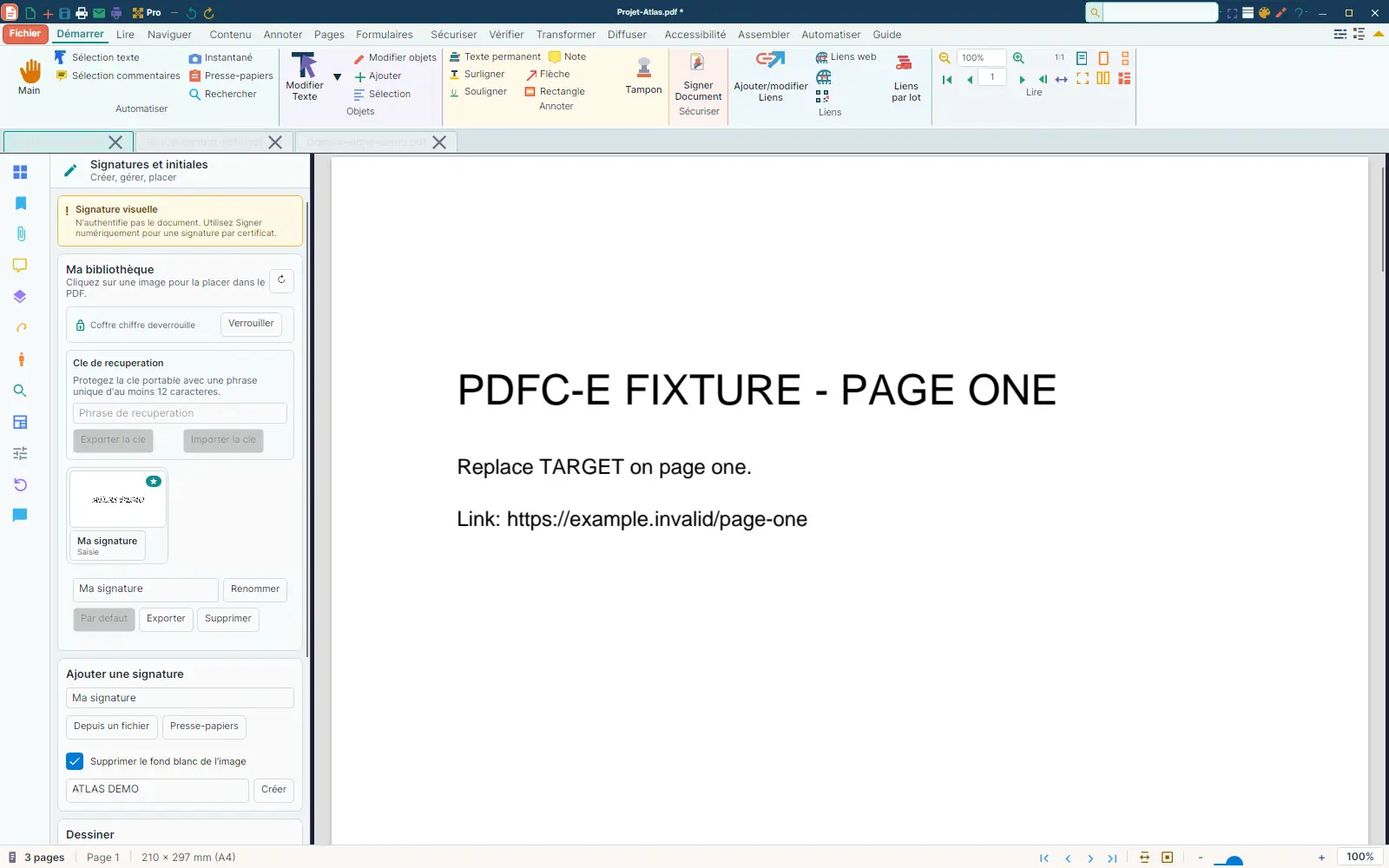
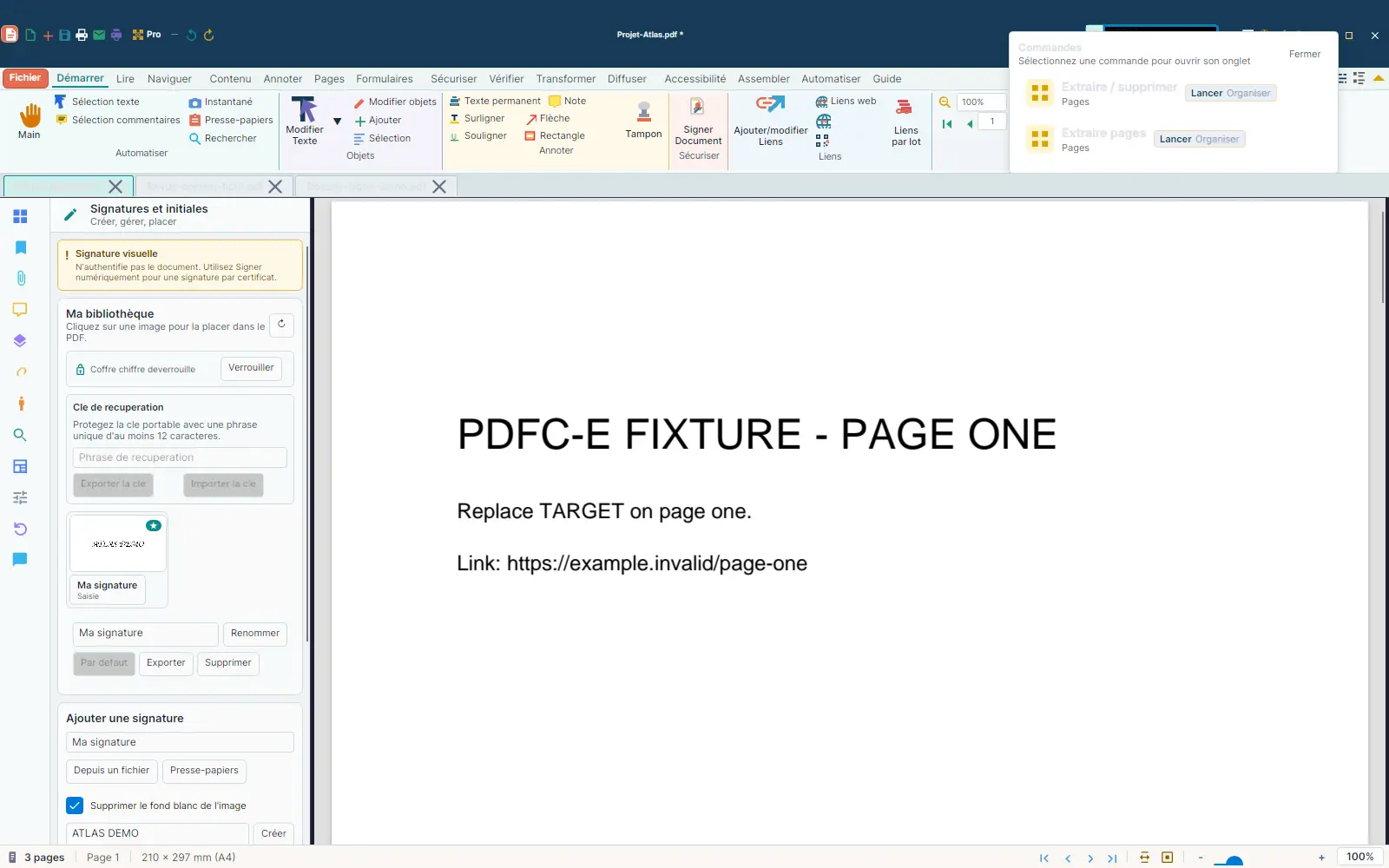
The Signatures and initials panel exposes the library, creation, and placement. The screenshot does not show a validated digital signature.
The command palette filtered on extract makes advanced actions discoverable without leaving the document.
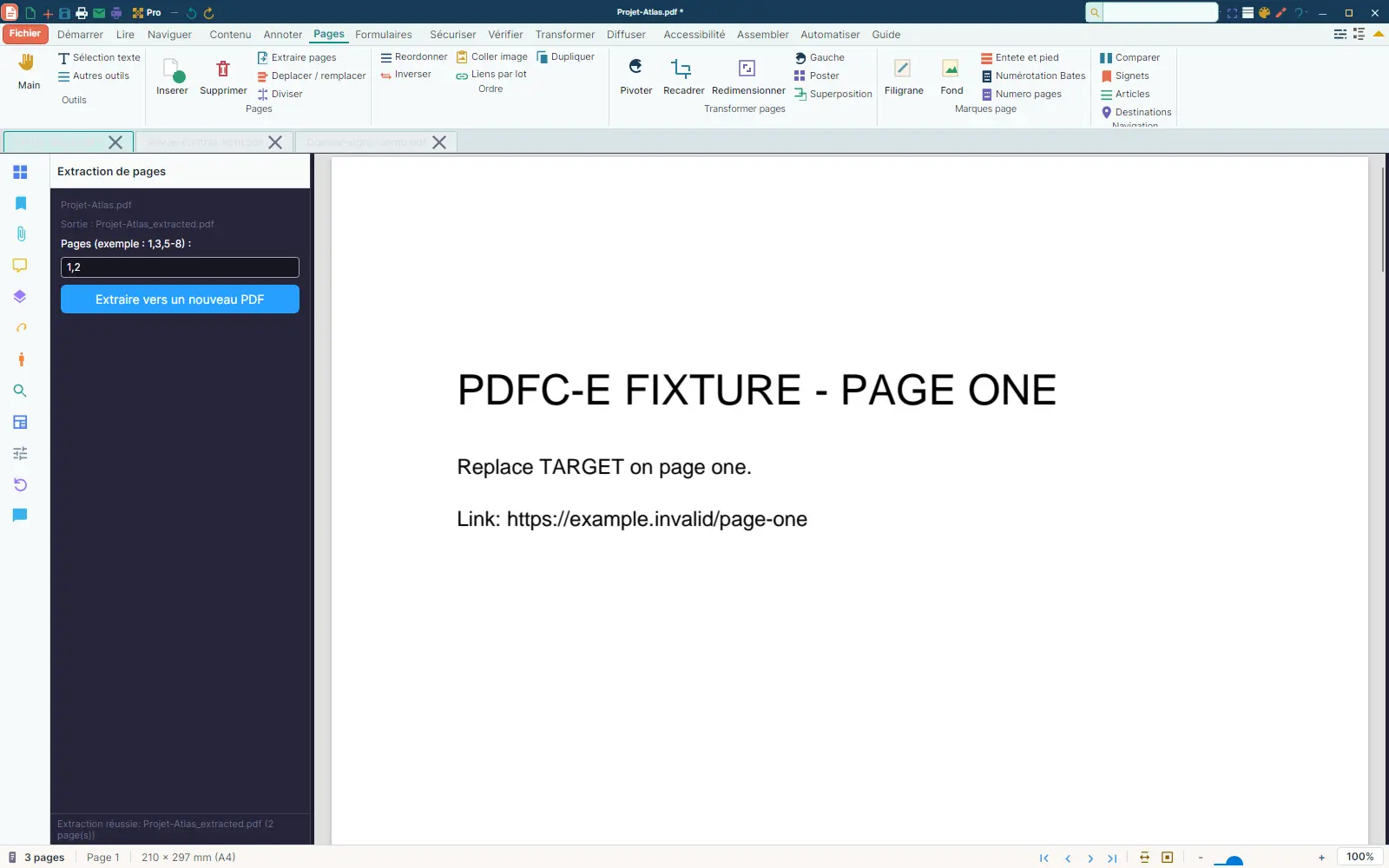
Extracting a two-page range produces a named file and an Extraction succeeded status. This flow was verified with qpdf.
Documents do not leave the workstation for the local operations that are supported.
Every operation re-reads the produced file before announcing success. Generalising that check is still in progress.
The suite is aimed at software with no mandatory recurring billing.
PdfCommander is in stabilization. Its test suite exceeds 8,000 cases. The September 1 campaign closed 13 output-contract defects. The execution audit of September 2 still found some page operations producing structurally fragile files.
Agile Up · Software publishing
A question about PdfCommander or its current scope?